A Python HTTP server that receives and processes HTTP Post alarm events from Viewtron IP cameras and NVRs.
Viewtron IP cameras and NVRs include an HTTP API for software developers to create custom applications, business automation, and home automation. The AI software is embedded in Viewtron AI security cameras — all AI inference takes place on the camera itself, with no cloud service or external server required for detection. When an AI event occurs, the camera or NVR sends an HTTP Post with an XML payload to your server's webhook endpoint. This server parses the XML, extracts event data and images, logs events to CSV, and saves snapshot images to disk.
The server supports both IP Camera direct (v1.x) and NVR forwarded (v2.0) alarm formats. Version detection is automatic.
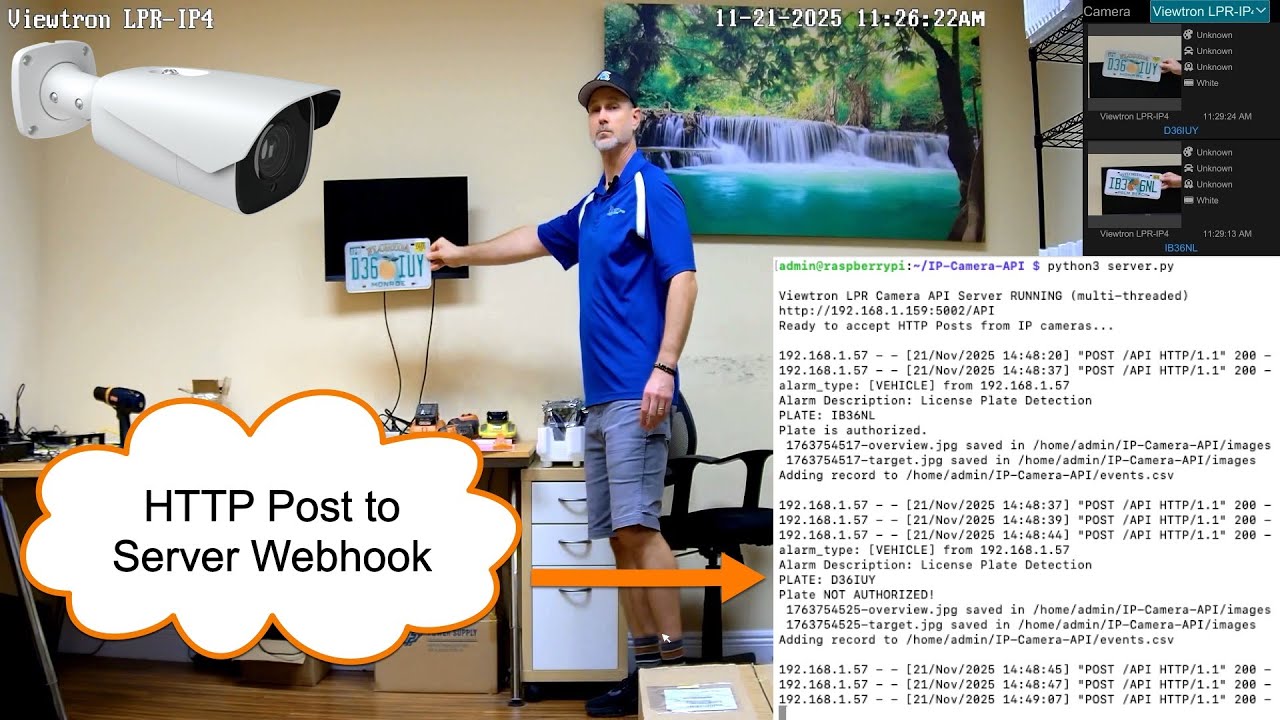
Viewtron LPR cameras detect and read license plates in real time. The server receives plate number, plate image, and overview snapshot for each detection. The v1.x IPC format includes whitelist/blacklist authorization status. The v2.0 NVR format includes vehicle attribute recognition: plate color, vehicle type, color, brand, and model.
| Source | smartType | Data |
|---|---|---|
| IPC v1.x | VEHICE / VEHICLE |
Plate number, plate image, overview, whitelist/blacklist |
| NVR v2.0 | vehicle |
Plate number, plate color, vehicle type/color/brand/model, plate crop, overview |
Watch Viewtron LPR camera videos here: https://videos.cctvcamerapros.com/tag/alpr-lpr-camera
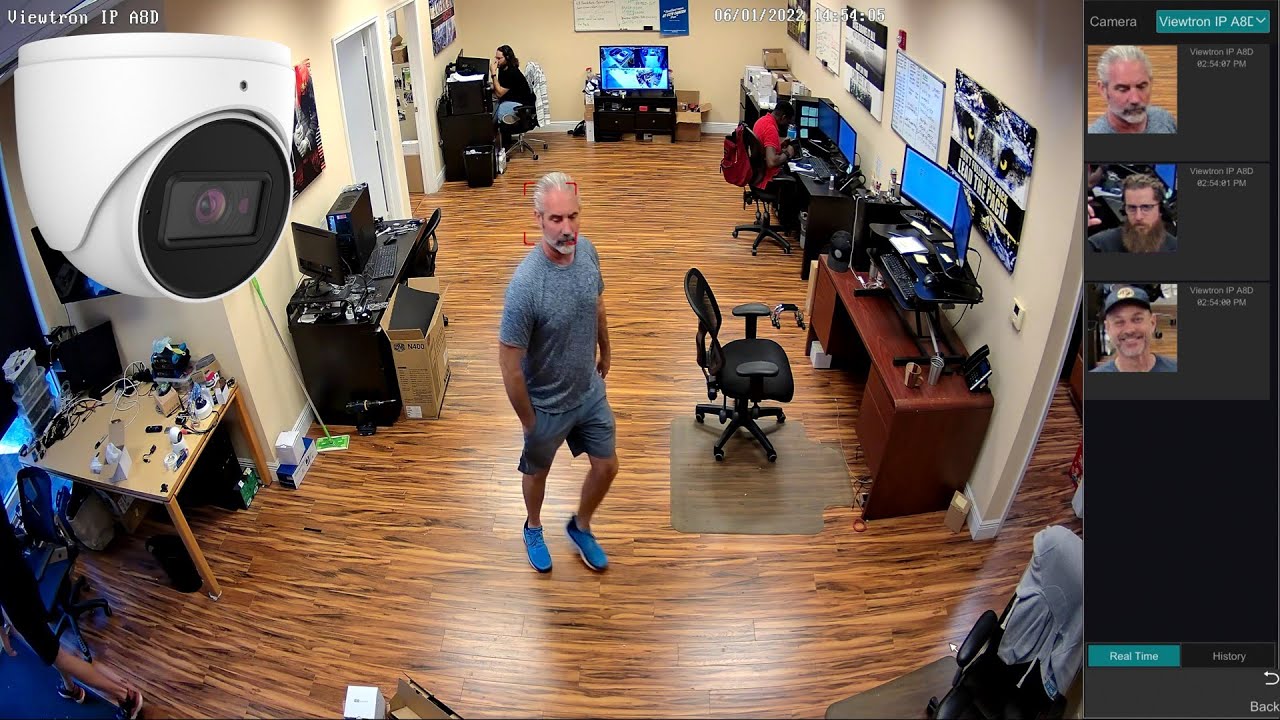
Viewtron face detection cameras capture facial images and analyze face attributes. The server receives a face crop image and overview snapshot for each detection. The v2.0 NVR format includes face attribute analysis: age, sex, glasses, and mask detection.
| Source | smartType | Data |
|---|---|---|
| IPC v1.x | VFD |
Face crop, overview |
| NVR v2.0 | videoFaceDetect |
Face crop, overview, age, sex, glasses, mask |
Note: Face recognition (matching against a face database) is not forwarded via NVR HTTP Post. The NVR only sends face detection events. Face match (VFD_MATCH) may only be available via direct IP camera connection.
Watch additional face detection / facial recognition camera videos: https://videos.cctvcamerapros.com/tag/face-recognition-camera
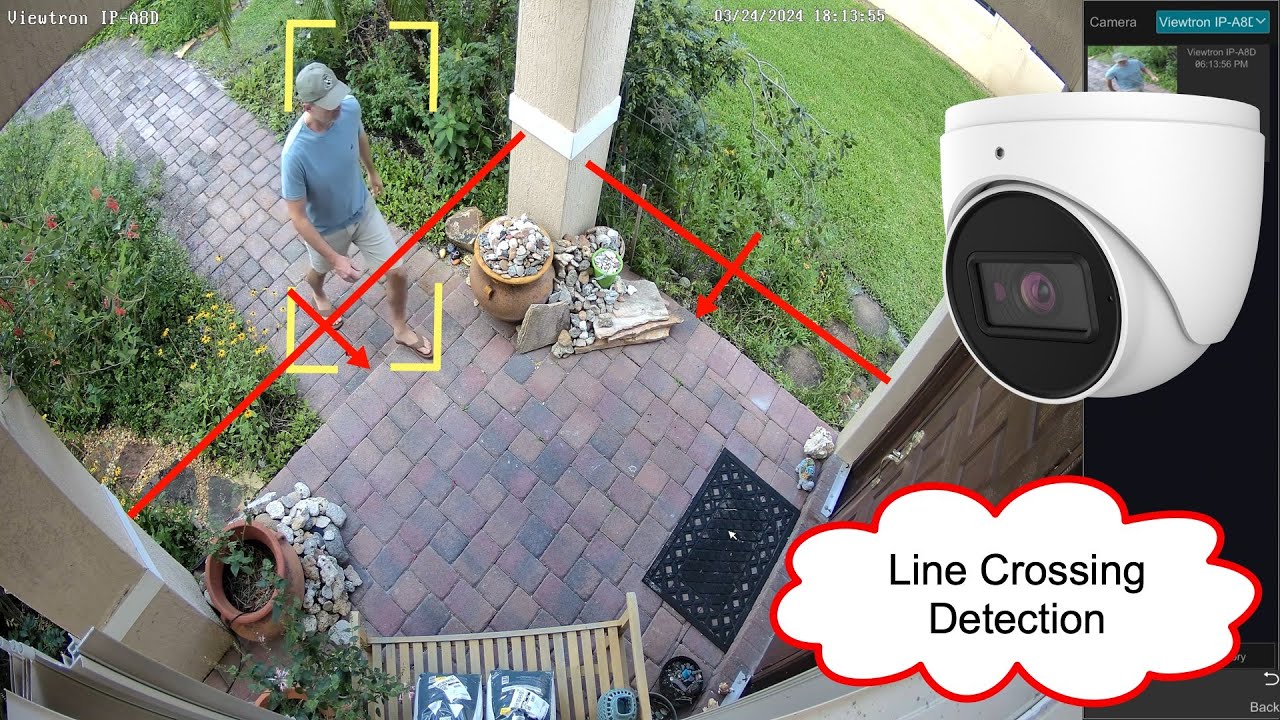
All Viewtron AI cameras support perimeter intrusion detection and line crossing (tripwire) detection. Human detection and car / vehicle detection objects can both trigger intrusion and line crossing alrams. The server receives an overview snapshot and a cropped image of the detected person or vehicle. The NVR format includes the intrusion zone polygon coordinates and target bounding box.
| Source | smartType | Description |
|---|---|---|
| IPC v1.x | PEA |
Perimeter intrusion and line crossing (differentiated by XML structure) |
| NVR v2.0 | regionIntrusion |
Person or vehicle enters a defined zone |
| NVR v2.0 | lineCrossing |
Person or vehicle crosses a tripwire line |
Zone entry and zone exit detection are also supported via IPC direct connection.
| Source | smartType | Description |
|---|---|---|
| IPC v1.x | AOIENTRY |
Object enters a defined zone |
| IPC v1.x | AOILEAVE |
Object exits a defined zone |
Watch Viewtron human detecion AI videos here: https://videos.cctvcamerapros.com/tag/human-detection-ai
Watch Viewtron vehicle / car detection AI videos here: https://videos.cctvcamerapros.com/tag/car-detection-ai
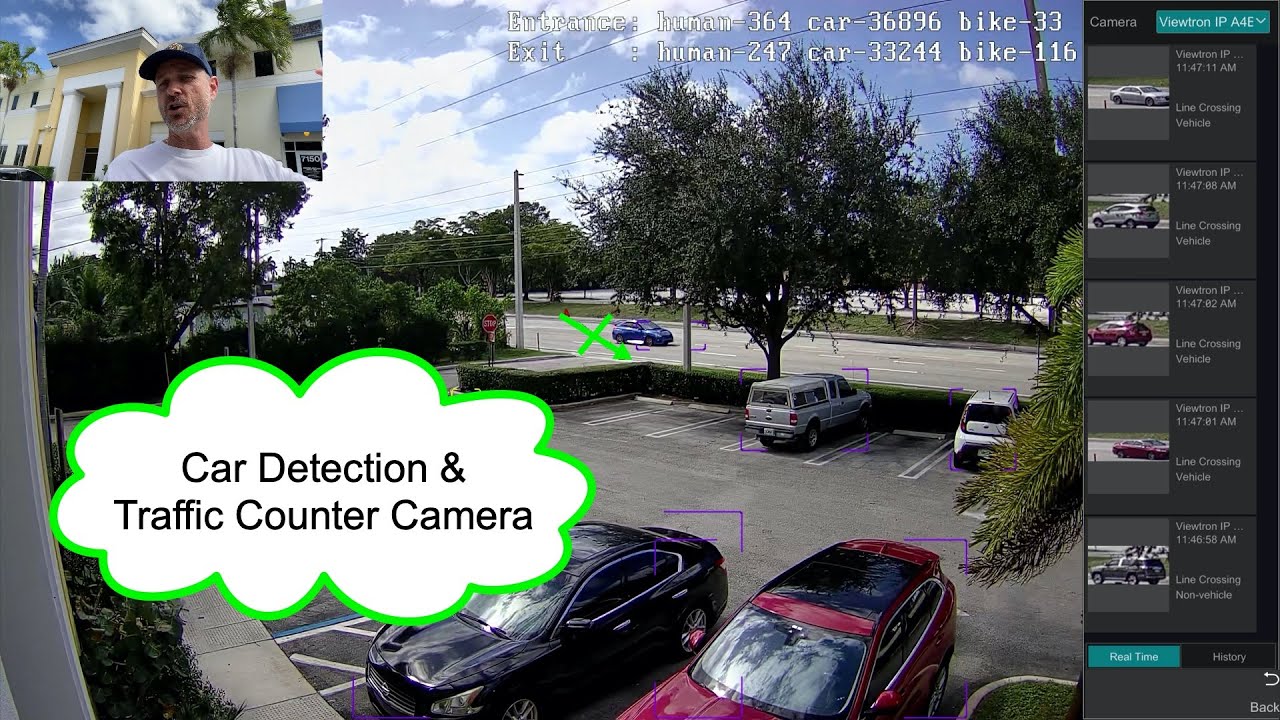
Viewtron AI cameras can count people and vehicles crossing a line or entering an area. The server receives an overview snapshot and a cropped image of each counted object. Line counting uses a tripwire; area counting uses a polygon zone.
| Source | smartType | Description |
|---|---|---|
| NVR v2.0 | targetCountingByLine |
Count objects crossing a defined line |
| NVR v2.0 | targetCountingByArea |
Count objects within a defined zone |
Viewtron AI cameras can perform continuous object detection and tracking across the entire camera frame. Unlike alarm-based detection types, video metadata detects and classifies all people and vehicles in the scene continuously. The server receives an overview snapshot and a cropped image of each detected target.
| Source | smartType | Description |
|---|---|---|
| IPC v1.x | VSD |
Full-frame object detection and tracking |
| NVR v2.0 | videoMetadata |
Full-frame object detection and tracking |
- Configure your IP camera or NVR to send HTTP Posts to this server's IP and port
- The server receives XML alarm data and auto-detects the format version (v1.x or v2.0)
- Events are parsed, images are decoded and saved, and a CSV log entry is created
- All raw XML posts are saved to
raw_posts/for debugging and analysis
Output:
events.csv— Event log with alarm type, timestamp, plate number (LPR), image pathsimages/— Saved JPEG snapshots (overview and target crops)raw_posts/— Raw XML posts for debugging
The examples/ folder contains sample XML payloads for every supported alarm type in both IPC v1.x and NVR v2.0 formats. Base64 image data has been replaced with descriptive placeholders so the files are small and readable.
Use these to understand the XML structure, test your parser, or build your own server without needing a physical camera.
# POST an example directly to the server for testing
curl -X POST http://localhost:5002/API \
  -H "Content-Type: application/xml" \
  -d @examples/nvr-v2/vehicle-lpr.xml
See examples/README.md for the full index, key format differences, and coordinate system documentation.
IP Camera direct: Configure the HTTP Post endpoint in the camera's web interface under Alarm Server settings. Setup guide: https://videos.cctvcamerapros.com/support/topic/ip-camera-api-webbooks
NVR: Configure the HTTP Post endpoint in the NVR's Alarm Server settings. All cameras connected to the NVR's PoE ports will have their AI events forwarded automatically. Setup guide: https://videos.cctvcamerapros.com/support/topic/setup-nvr-api-webhooks
Server installation: See INSTALL.md. Tested on Ubuntu Linux and Raspberry Pi.
| Resource | Description |
|---|---|
| XML Examples | Sample XML payloads for all alarm types with format documentation |
| IP Camera Setup Guide | Configure IP camera HTTP Post webhooks |
| IP Camera Detection Events | IP camera v1.x detection types reference |
| NVR Setup Guide | Configure NVR HTTP Post webhooks |
| NVR Detection Events | NVR v2.0 detection types reference |
- All Viewtron Products: https://www.Viewtron.com
- AI Security Cameras: https://www.cctvcamerapros.com/AI-security-cameras-s/1512.htm
- LPR Cameras: https://www.cctvcamerapros.com/License-Plate-Recognition-Systems-s/1518.htm
- Face Recognition Cameras: https://www.cctvcamerapros.com/face-recognition-cameras-s/1761.htm
- IP Camera NVRs: https://www.cctvcamerapros.com/IP-Camera-NVRs-s/1472.htm
Written by Mike Haldas, co-founder of CCTV Camera Pros. mike@cctvcamerapros.net